Preferences ...
from the Edit menu: 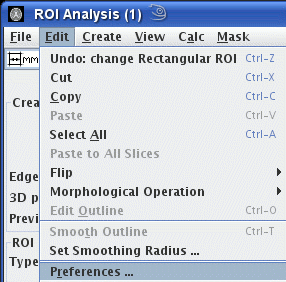
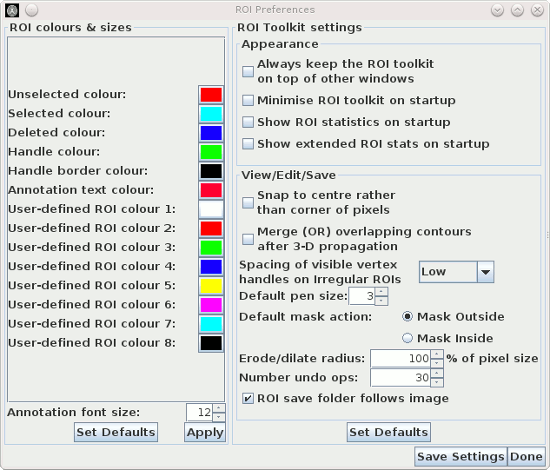
This brings up the ROI Preferences dialog:
Using this, you can set:
 , the default folder to save your
ROIs will be the same as the folder containing the image you currently have loaded. If you
un-select this check-box, the folder for saving ROIs will remain unchanged when you load a new
image.
, the default folder to save your
ROIs will be the same as the folder containing the image you currently have loaded. If you
un-select this check-box, the folder for saving ROIs will remain unchanged when you load a new
image.
To change a colour, click on the coloured button next to the feature you want to set.
Press the  button to
set the ROI colours for this session only. Changes will not be
saved to your user preferences if you only press the button.
button to
set the ROI colours for this session only. Changes will not be
saved to your user preferences if you only press the button.
To revert to the default setting press the  button. To save the settings to your
user preferences so that they will always be set when you start
Jim, press the
button. To save the settings to your
user preferences so that they will always be set when you start
Jim, press the  button.
Click the  button when
you have finished setting your ROI preferences.
button when
you have finished setting your ROI preferences.